SmartWatch Speed2.0.1
Publisher Description

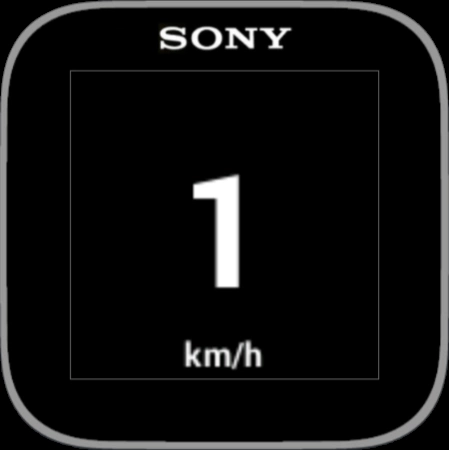

Shows GPS speed on the Sony SmartWatch 1 and 2
Shows GPS speed on the Sony SmartWatch 1 and 2. Also works with Smart Wireless Headset pro.
The speed is updated instantly from the GPS on the phone and displayed with clear digits on the SmartWatch.
Swipe up to put the screen in bright mode and swipe down to dim. The display is always on. Long press or normal two finger pinch on the screen to exit.
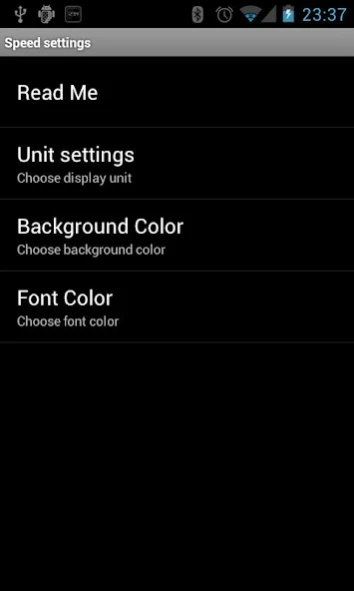
Choose miles per hour or kilometers per hour in settings.
Settings for background and font color are available in settings.
I cannot answer on comments so please give feedback/suggestions on e-mail or on Google+
https://plus.google.com/u/0/b/108394251016011348098/
Note you need to have a Sony SmartWatch™ to be able to use this app. This application will not be shown in your phone application screen. Access application settings via LiveWare™ manager, where you can also enable or disable this SmartWatch application.
Smart Connect extension for SmartWatch 2
LiveWare™ extension for SmartWatch
LiveWare™ extension for Smart Wireless Headset pro
About SmartWatch Speed
The company that develops SmartWatch Speed is Nixi.com. The latest version released by its developer is 2.0.1. This app was rated by 1 users of our site and has an average rating of 3.0.
To install SmartWatch Speed on your Android device, just click the green Continue To App button above to start the installation process. The app is listed on our website since 2013-11-19 and was downloaded 23 times. We have already checked if the download link is safe, however for your own protection we recommend that you scan the downloaded app with your antivirus. Your antivirus may detect the SmartWatch Speed as malware as malware if the download link to com.nixi.smartwatch.gps is broken.
How to install SmartWatch Speed on your Android device:
- Click on the Continue To App button on our website. This will redirect you to Google Play.
- Once the SmartWatch Speed is shown in the Google Play listing of your Android device, you can start its download and installation. Tap on the Install button located below the search bar and to the right of the app icon.
- A pop-up window with the permissions required by SmartWatch Speed will be shown. Click on Accept to continue the process.
- SmartWatch Speed will be downloaded onto your device, displaying a progress. Once the download completes, the installation will start and you'll get a notification after the installation is finished.
Program Details
System requirements
Download information
Pricing
Version History
version 2.0.1
posted on 2013-11-19
2.0.1,Fixed crash in settings,2.0,Support for SmartWatch 2,Bug fixes,New icon
version 1.1.0
posted on 2013-02-27
Several fixes and updates
